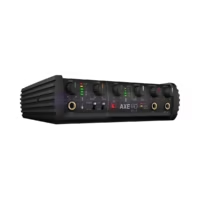
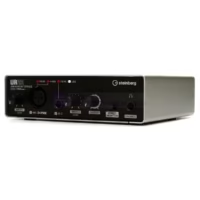
IK Multimedia iRig PRE HD iOS Microphone Preamp & Interface


100% ORIGINAL

HARGA Kompetitif

GARANSI Resmi

AFTERSALES Service
Description
The iRig PRE is a compact microphone preamp for Mac OS computers, iPhone, iPad, iPad and Android mobile devices. Just slightly larger than a 9 volt battery, the iRig impresses with professional recording quality.
What do I need to get started streaming?
If you are streaming stereo audio from a mixer, DJ set-up or anything with line-level output, the iRig Stream is an excellent option for your streams. This will allow for your signal to be sent into its RCA input and monitored through its onboard 3.5 mm headphone port. This headphone port will also allow a headset (CTIA/AHJ wiring standard) for narrating your performances.
For sending two balanced sources into iOS, like two XLR cables, check out iRig Pro Duo I/O. This powerful tool allows for two combo jack inputs (XLR and 1/4″) for almost any kind of input to be sent to Mac/PC, iOS or Android.
If you’re looking to simply stream your voice and no other signal, check out the iRig Mic HD 2 or iRig Mic Studio. These digital USB microphones will send a crystal-clear audio signal into an iOS, Mac/PC or Android device. If you use your own microphone, but just need a way to send your signal into your iOS, Mac/PC, or Android device, check out the iRig Pre HD.
Can I stream to Facebook Live, Instagram Live or other services using my iRig?
Yes. Apps such as Instagram, YouTube, Snapchat, Zoom Meeting and Facebook Live allow you to record/stream using both digital and analog iRig devices. Analog iRig devices use a direct connection to your mobile device’s headphone port. This is usually through a 3.5 mm TRS connection. Digital iRig devices use a direct connection to the mobile device’s USB-C, Lightning or Micro-USB port.
Note: Some apps will require you to start the video recording to activate your microphone. Not all apps will offer external audio input for every video capture option. In Instagram, the “Story” feature will not allow external devices.
Important: On iOS (iPhone/iPad/iPod), due to the nature of Facebook and Instagram Live and how they capture audio, the below workaround can be used with iRig audio interfaces (such as iRig Stream, iRig Pro DUO I/O or iRig HD 2) to allow for an uninterrupted audio input source.
- Download and launch iRig Recorder 3 LE from the Apple App Store. This is a free app.
- Go to the Menu in the upper right hand corner and then go to Settings. Inside here, enable the Background audio option.
- Use the COG WHEEL in the main page to select your input source. Keep in mind this is only an option for multi-input devices, so if you see a greyed out “Mono” option, this is because your device only offers this kind of input signal.
- Launch Facebook or Instagram and go to the Live video function. The audio input will now be routed to these apps
Important: Android users must have a device which allows digital audio or external audio input from CTIA/AHJ wiring standard devices to allow for the iRig to work properly.
iRig Pre HD Mfi Microphone Preamp and Interface Features:
- Connects your favorite studio condenser or other mic to your iOS device for HD recording
- 24-bit A/D conversion at up to 96kHz sample rate for pristine HD audio recording
- 2 included AA batteries supply power for the preamp and also 48V phantom power to your mic
- XLR input, micro B USB output, and headphone out with on/off switch and level control
- Multicolor LED indicator helps you set just the right amount of preamp gain
- USB and Lightning cables, batteries, and hook-and-loop mounting strip included
 pusatsoundsystem.com
Jl. Pinangsia Raya Ruko No.66F, RT.3/RW.5, Pinangsia, Kota Jakarta Barat
-
-
-
-
-
-
Fast response, bisa kasih masukan sesuai kebutuhan customer
-
Pelayanan sangat bagus, walaupun barang kosong, sopan juga, pokoknya mantab dah👍👍👍
-
Tokonya sangat profesional, bukan cuman jualan tapi kasih pemahaman juga
-
-
-
Respon celat
-
Pelayanan nya baik dan barang terjamin bagus semua 🙂↕️
-
Tanya tanya dan cari barang. Admin responsif dan sangat membantu. Terimakasih
-
Respon Baik ,Saya terbantu 🙏
-
-
-
Mantapp
-
Mantap kualitas terbaik
-
salesnya ramah & fast respon
-
Pelayanan Fast Respon Good Job Kak